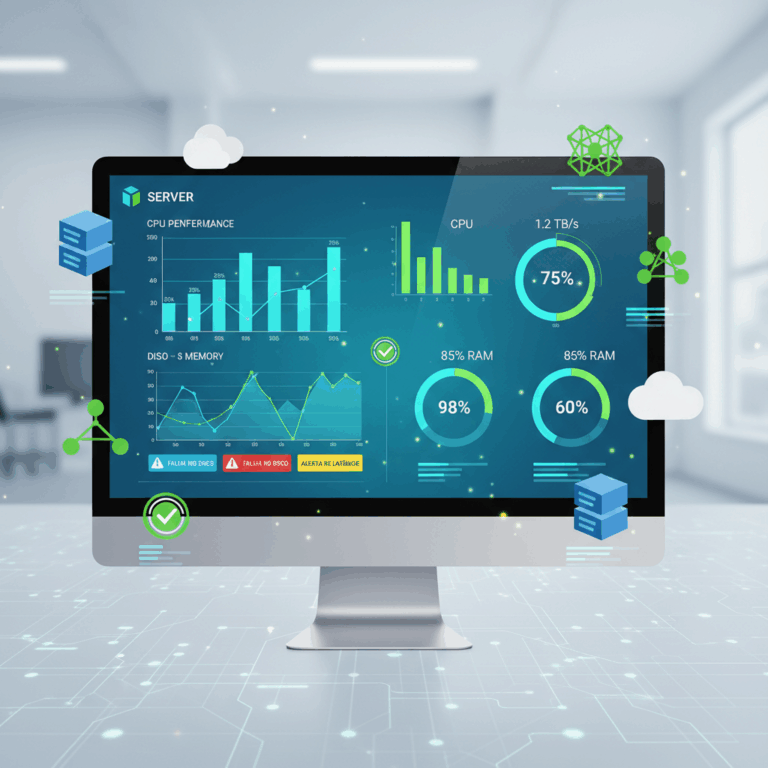
Importance of Server Monitoring Tools
Server monitoring tools are critical to maintaining reliable IT infrastructure by ensuring servers remain available and performant. They provide ongoing visibility into system health.
These tools empower IT teams to detect and address issues proactively, reducing downtime and enhancing the overall user experience for hosted applications and services.
By continuously tracking vital metrics, server monitoring supports optimized resource usage and helps avoid unexpected failures that disrupt business operations.
Tracking Uptime and Availability
Monitoring uptime is essential for ensuring servers remain accessible and operational. Tools track availability in real time to promptly detect outages or slowdowns.
This continuous monitoring allows IT teams to respond quickly to incidents, minimizing service disruption and maintaining customer trust.
Accurate uptime tracking also helps with compliance reporting and supports service level agreements (SLAs) by providing transparent performance data.
Analyzing Traffic and Performance Metrics
Server monitoring tools collect data on CPU load, memory usage, disk activity, and network traffic to identify potential bottlenecks affecting performance.
Analyzing these metrics helps IT teams optimize server configurations and resource allocation for maximum efficiency and reliability.
Performance insights enable proactive maintenance, allowing issues to be resolved before they impact users or critical applications.
Features of Popular Server Monitoring Applications
Popular server monitoring tools offer a variety of features designed to enhance system management. These features focus on real-time data, alerts, and customizable interfaces to meet diverse IT needs.
Advanced capabilities like automation, cloud integration, and detailed analytics allow teams to maintain performance and quickly resolve issues, while adapting to modern infrastructure demands.
Real-time Alerts and Automation
Real-time alerts notify administrators immediately when performance thresholds or errors occur, enabling rapid incident response and reducing downtime.
Automation features help streamline routine tasks such as patch management, reboot scheduling, or ticket creation, boosting efficiency and consistency in server management.
By combining alerts with automated workflows, these tools reduce manual intervention and support proactive maintenance across complex environments.
Dashboard Customization and Analytics
Customizable dashboards allow users to visualize relevant server metrics, logs, and alerts clearly, tailored to specific roles or system priorities.
Advanced analytics provide deeper insights into performance trends, historical data, and bottleneck identification, empowering informed decision-making.
With drag-and-drop dashboard elements and comprehensive reporting, IT teams can monitor infrastructure health more intuitively and efficiently.
Cloud-based vs On-premises Solutions
Cloud-based server monitoring tools offer flexibility, remote access, and scalability, making them suitable for dynamic and distributed environments.
On-premises solutions provide greater control and security for organizations with strict compliance or data sovereignty requirements.
Choosing between these options depends on organizational needs, infrastructure scale, and preferences for deployment and maintenance.
Overview of Leading Server Monitoring Apps
The market offers a range of leading server monitoring applications that cater to different business needs. These tools vary from commercial to open-source, each with unique strengths and capabilities.
Understanding the differences helps IT teams select solutions that best support their infrastructure’s complexity, scalability, and budget requirements.
Commercial Tools and Their Strengths
Commercial server monitoring tools like NinjaOne and Datadog provide powerful integrations and automation suited for enterprises. NinjaOne excels at remote monitoring combined with patch management capabilities.
Datadog offers extensive service integrations and a drag-and-drop dashboard for comprehensive monitoring, while ManageEngine OpManager focuses on deep insights for both physical and virtual server environments.
Other commercial options like Anturis and Pandora FMS emphasize simplicity and hybrid-cloud scalability, helping organizations monitor diverse systems in real time efficiently.
Open-source Options and Flexibility
Open-source tools such as Nagios, Zabbix, and Icinga offer extensive customization and scalability. These platforms allow IT teams to tailor monitoring to specific infrastructure needs using plugins and scripts.
Nagios is praised for its real-time alerts and vast ecosystem, Zabbix excels in data visualization and performance tracking, while Icinga provides flexible dashboards and notifications, adapting easily to enterprise environments.
These solutions are cost-effective and support large-scale deployments but require more hands-on management and expertise compared to commercial products.
Benefits and Pricing Considerations
Server monitoring tools significantly improve IT operations by optimizing resource management, reducing downtime, and ensuring consistent performance.
Understanding pricing models and benefits is essential for selecting the right tool that aligns with budget and business needs.
Optimizing Resource Management and Downtime
Effective monitoring tools help allocate resources efficiently by identifying underused or overburdened servers, leading to cost savings and improved stability.
They also minimize downtime by detecting issues early, enabling rapid incident response and maintaining continuous service availability.
This proactive approach prevents unexpected failures, reduces repair times, and enhances user satisfaction by ensuring reliable system performance.
Cost Variations and Licensing Models
Server monitoring tools range from free open-source solutions to subscription-based commercial products, offering diverse pricing structures.
Licensing models may include per-server, per-device, or per-user fees, impacting overall costs based on infrastructure size and complexity.
Choosing between cloud-based or on-premises deployment can also affect pricing, with cloud solutions often involving monthly fees and on-premises requiring upfront investments.