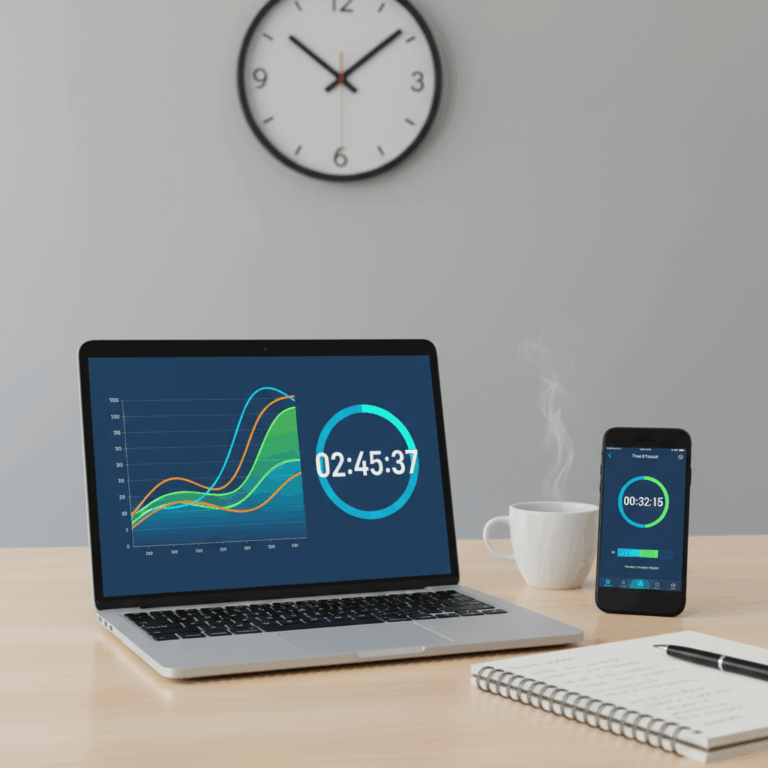
Overview of Time Tracking Tools
Time tracking tools serve as essential aids for monitoring work hours and enhancing productivity. They help users log time spent on tasks and projects, giving clear insights into daily work habits.
By analyzing tracked time, individuals and teams can identify inefficiencies, optimize workflows, and ensure accurate reporting for billing or performance assessments.
These tools vary in complexity, from simple manual timers to advanced apps featuring automation and detailed analytics.
Purpose and Benefits of Time Tracking
The primary purpose of time tracking is to capture how time is allocated across various activities, enabling better project management and accountability. It fosters awareness of work patterns.
Benefits include increased productivity, transparent work reporting, and improved time management. This leads to smarter scheduling and prioritization of tasks.
Time tracking also supports accurate billing for freelancers and helps organizations assess team performance effectively.
Types of Time Tracking Methods
Time tracking methods range from manual logging to automatic monitoring. Manual tools require users to start and stop timers or input hours, offering precise control.
Automated tracking utilizes AI or system monitoring to detect active work without user input, reducing interruptions and increasing accuracy.
Hybrid approaches combine manual and automatic features, allowing flexibility to suit individual or team preferences.
Popular Time Tracking Apps and Features
Popular time tracking apps offer diverse solutions tailored to different user needs, from simple manual logging to advanced automated tracking. These tools help streamline the recording of work hours efficiently.
Understanding the unique features of each app can help users select the best fit for their workflow, improving time management and productivity across projects.
Many apps also equip users with rich reporting and analysis capabilities to optimize overall performance and project delivery.
Toggl Track: Manual and Simple Time Logging
Toggl Track stands out for its intuitive manual time logging system, allowing users to start, stop, and categorize their time entries easily. This simplicity suits individuals and small teams.
Its clean interface and flexibility enable quick task switching and project organization without technical complexity, ideal for those wanting precise control over time input.
Toggl also provides useful reporting functions that help visualize how time is spent, further supporting productivity improvements and better decision-making.
Automated Tracking with Memtime and Time Doctor
Memtime and Time Doctor leverage artificial intelligence to automate time tracking by detecting active computer use and categorizing tasks without manual input. This reduces distractions from starting timers.
These tools enhance accuracy by identifying productive and idle periods automatically, ensuring a more reliable measure of actual work time.
They are especially beneficial for teams working remotely or on multiple projects, offering detailed insights with minimal effort from the user.
Additional Features: Reporting and Productivity Analysis
Beyond basic tracking, many apps include comprehensive reporting features that analyze time data, helping users and managers understand productivity trends and identify bottlenecks.
For example, Time Doctor monitors website and app usage alongside time tracking, providing a complete picture of digital work habits and distractions.
Benefits of Integrated Reporting
Integrated reporting generates actionable insights that assist in refining workflows, improving time allocation, and enhancing team collaboration.
These analytics help businesses make informed decisions and improve accountability, leading to smarter resource management and higher efficiency.
Advanced Functionalities in Time Tracking Apps
Modern time tracking apps go beyond simple logs, offering features that support project management and enhance team collaboration. These advanced tools help organize tasks and coordinate workflows efficiently.
For remote teams, these apps provide essential monitoring and attendance features to maintain accountability and productivity across different locations and time zones.
Project Management and Team Collaboration
Advanced time tracking tools integrate with project management systems to streamline task assignment, progress tracking, and deadline management. This integration ensures that all team members stay aligned on project goals.
Collaboration features such as shared dashboards, comments, and notifications foster communication, helping teams resolve issues quickly and maintain productivity. These functions keep everyone informed and engaged.
By linking time tracking with project milestones, managers can better estimate workloads, allocate resources, and identify project delays early, allowing for timely adjustments and improved outcomes.
Monitoring and Attendance Features for Remote Teams
For remote workforce management, time tracking apps include attendance monitoring tools that record clock-in/out times and break periods accurately. This helps verify working hours and ensures compliance with policies.
Some apps capture periodic screenshots or monitor app and website usage, providing supervisors with insights into employee activity and focus without intrusive micromanagement.
This type of monitoring supports accountability while respecting privacy, enabling remote teams to maintain high productivity and trust even when not physically present.
Choosing and Using Time Tracking Tools
When selecting a time tracking tool, cross-platform availability is vital to ensure seamless use across desktop, mobile, and web. Most popular apps support major operating systems.
Pricing plans vary, often offering free basic versions alongside premium tiers with advanced features. This flexibility helps users find options that fit their budget and needs.
Understanding both cost structures and device compatibility helps individuals and teams maximize the tool’s benefits and ease of access.
Cross-Platform Availability and Pricing Plans
Time tracking tools typically provide apps for Windows, macOS, Android, and iOS, allowing users to track time anywhere, anytime. Synchronization keeps data updated across devices.
Free plans are usually suitable for freelancers or small teams, offering basic time logging and reporting. Paid plans include extras like detailed analytics and team management.
Some software charges monthly subscriptions, while others offer lifetime licenses, so it’s important to consider long-term costs and features needed.
Selecting the Right Tool Based on User Needs
Choosing a tool depends on whether users prefer manual time entry, automated tracking, or a hybrid approach. This impacts ease of use and accuracy of data.
For individuals, simplicity and clear reports often matter most, while teams may prioritize collaboration features, attendance tracking, and productivity analysis.
Evaluating each app’s unique functionalities in relation to specific work habits and goals ensures the chosen tool truly supports improved time management.