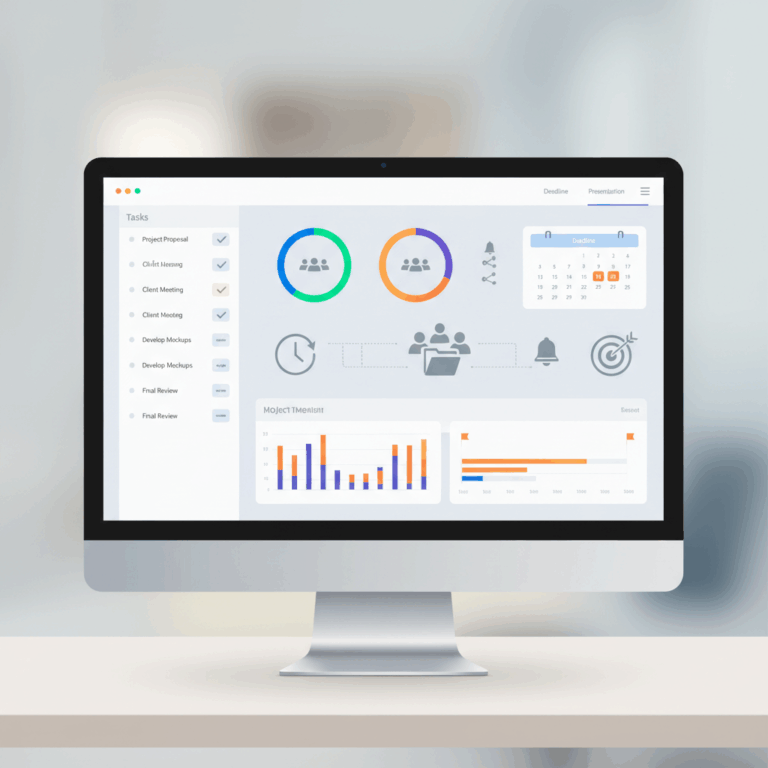
Core Functionalities of Project Management Software
Project management software offers essential tools to organize tasks, goals, and schedules effectively for teams. These tools ensure efficient planning and tracking.
With features that break down complex projects into manageable parts, users can assign responsibilities and monitor progress clearly.
Visual scheduling tools further enhance understanding by mapping task dependencies and aligning work with key milestones and deadlines.
Task Management and Breakdown
Task management allows breaking down large projects into smaller, actionable tasks for better control. This helps teams focus on achievable steps.
Users can assign tasks to team members, set due dates, and establish clear priorities, making task execution more organized and accountable.
Tracking progress on individual tasks ensures potential bottlenecks are identified early, improving overall project flow and success rates.
Visual Scheduling Tools
Visual scheduling features such as Gantt charts and timelines provide a clear view of task sequences and dependencies. This helps avoid conflicts.
These tools display a project’s timeline, highlighting critical paths and upcoming deadlines to keep teams on track with their goals.
By visualizing schedules, teams can adjust plans dynamically and communicate project status to stakeholders more effectively.
Popular Project Management Tools and Their Strengths
Popular project management tools cater to diverse team needs by offering specialized features that enhance productivity. Each platform has unique strengths optimizing specific workflows.
Choosing the right software depends on project requirements, team size, and preferred methodologies. Understanding strengths helps select a suitable solution.
These tools emphasize automation, agility, scheduling, and customization to streamline project execution and maintain clarity in task management.
Asana’s Workflow Automation
Asana excels in automating repetitive tasks and workflows, allowing teams to focus on high-priority work. It simplifies task creation, assignments, and deadlines.
Integration with other apps enhances efficiency, making project tracking seamless. Visualization options like boards and timelines improve transparency.
Automation in Asana reduces manual work, enabling faster project progression and consistent follow-up on dependencies and milestones.
Jira for Agile Development
Jira is a preferred choice for agile software teams due to its robust sprint planning and issue tracking capabilities. Custom workflows align with Scrum and Kanban.
It provides real-time visibility into project status and velocity, facilitating iterative development and continuous improvement across teams.
Advanced reporting and backlog management features help teams prioritize work efficiently and adapt quickly to changing requirements.
Microsoft Project’s Scheduling Features
Microsoft Project offers comprehensive scheduling tools integrated with Microsoft 365, including Gantt charts and interactive dashboards for progress monitoring.
Its resource allocation features help balance workloads and forecast project timelines accurately. It supports dependencies to manage complex projects.
Integration with other Microsoft tools enhances collaboration, making it ideal for organizations entrenched in the Microsoft ecosystem.
Specialized Solutions: LiquidPlanner and Notion
LiquidPlanner uses predictive scheduling to adapt timelines based on task priority and resource availability, delivering realistic deadlines for dynamic projects.
Notion provides versatile databases that allow customizable views such as tables, lists, and calendars, offering flexible project and task organization.
Both platforms cater to specific needs: LiquidPlanner excels in uncertainty management; Notion thrives on customization and content integration.
Key Differentiators of Specialized Tools
LiquidPlanner’s strength lies in automatic rescheduling as project variables change, while Notion’s modular design supports cross-functional workflows.
Essential Features Across Platforms
Project management software includes core features that remain consistent across platforms, ensuring teams can work effectively regardless of the tool chosen.
These essential functions facilitate task organization, collaboration, and resource management to keep projects aligned and moving forward.
Understanding these features helps users leverage software capabilities fully to improve project delivery and team productivity.
Task Assignment, Prioritization, and Tracking
Assigning tasks clearly designates responsibility, ensuring every team member knows their duties and deadlines. This clarity reduces confusion and missed work.
Prioritization tools allow for arranging tasks by importance or urgency, helping teams focus on high-impact activities that drive project success.
Tracking progress in real time enables early detection of delays and bottlenecks, facilitating timely adjustments and keeping projects on schedule.
Collaboration and Communication Tools
Integrated communication features such as chat, comments, and notifications promote seamless team interaction, reducing miscommunication and email overload.
These tools allow sharing files and updates instantly, so all members stay informed and aligned on project changes and decisions without delays.
Collaboration functionalities support remote and cross-functional teams by providing a centralized space for feedback and collective problem solving.
Resource and Budget Management Integration
Resource management tools help allocate personnel, equipment, and materials efficiently, avoiding overallocation and minimizing project risks.
Budget tracking links financial data directly with task progress and resource use, enabling precise cost control and preventing budget overruns.
This integration offers comprehensive insights to project managers, allowing informed decisions that balance schedule, scope, and financial constraints.
Benefits of Using Project Management Software
Project management software significantly enhances the clarity of goals by organizing tasks systematically, allowing teams to focus on priorities. Clear goal setting ensures every team member understands their role and the project’s direction.
By offering structured task organization, these tools reduce confusion and improve efficiency. Teams can easily coordinate efforts and avoid overlapping responsibilities, ensuring smoother project execution.
Enhancing Goal Clarity and Task Organization
Project management software boosts goal clarity by breaking down complex objectives into manageable tasks. This division helps teams focus on specific deliverables without losing sight of the bigger picture.
Organized task lists and visual progress indicators maintain accountability, making it easier to track what needs to be done and by whom. This clarity reduces miscommunication and enhances team alignment.
Additionally, prioritizing tasks within these platforms ensures critical activities receive immediate attention, helping to meet deadlines and achieve project goals effectively.
Improving Schedule Visibility and Deadline Management
These tools provide visual scheduling features such as Gantt charts and timelines that give teams a comprehensive view of upcoming deadlines and dependencies. This visibility prevents scheduling conflicts and delays.
Deadline management is simplified with automated reminders and progress tracking, allowing teams to stay on course and adjust workloads proactively.
Improved schedule insight also facilitates resource allocation by highlighting bottlenecks, enhancing the ability to meet deadlines and deliver projects on time.