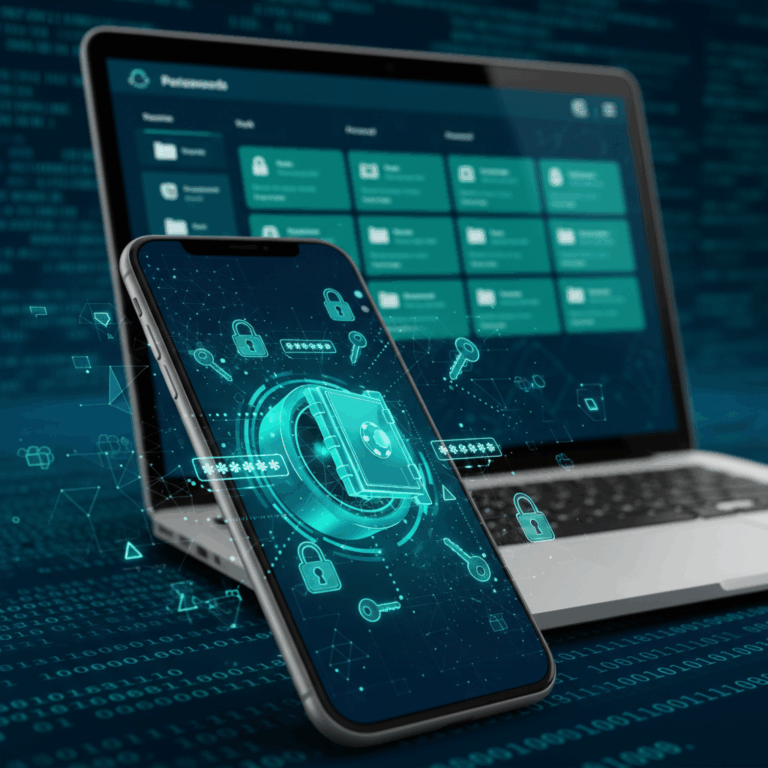
How Password Managers Secure Your Data
Password managers use advanced encryption to protect your passwords, storing them securely in a virtual vault unlocked only by your master password. This ensures that your login details remain private and safe from unauthorized access.
By centralizing your passwords behind one strong master password, these tools simplify security, letting you avoid weak or reused passwords while keeping your credentials protected. The technology behind this is critical to their effectiveness.
Encryption Technologies Used
Most password managers employ AES-256 encryption, a military-grade standard that secures your data by making it virtually impossible to crack without the key. This encryption ensures your passwords remain unreadable to attackers.
This form of encryption protects data both in storage and during transmission. Even if encrypted files are intercepted, the AES-256 standard keeps the information safe from exposure, which is crucial for sensitive data like passwords.
Many password managers also incorporate additional layers of security, such as hashing and salting, to further deter potential breaches and ensure that your credentials are well-protected under all conditions.
Zero-Knowledge Security Model
The zero-knowledge model means the password manager service cannot access or view your stored passwords. Only you hold the master password needed to decrypt your data, ensuring maximum privacy.
This approach guarantees that even if the provider’s servers are compromised, attackers cannot retrieve your encrypted passwords. It places control fully in your hands, eliminating trust risks with the service provider.
By using zero-knowledge architecture, password managers enhance security by preventing any third party, including the company itself, from having access to your sensitive information, making your data safer than ever.
Key Features of Password Manager Apps
Password manager apps come equipped with various features designed to make password security simple and effective. They automate tasks like password creation, storage, and retrieval, helping users maintain strong defenses online.
These applications not only protect your credentials but also enhance convenience with tools such as autofill and syncing across devices. Understanding these key features helps you choose the right tool for your security needs.
Password Generation and Storage
One essential feature is automatic password generation, allowing users to create complex, unique passwords easily. This reduces the risk of reuse and weak passwords that can be exploited.
Secure storage is another critical component, where passwords are encrypted and held safely within the app’s vault. This centralizes your credentials, making management straightforward and secure.
By combining generation and storage, password managers ensure that every account has a strong, unique password, boosting your overall cybersecurity without extra effort.
Autofill and Convenience Features
Autofill streamlines login processes by automatically entering usernames and passwords on websites and apps, saving time and reducing typing errors. This convenience encourages consistent use.
Many apps also sync passwords across multiple devices, ensuring access from smartphones, tablets, or computers. This feature integrates security with daily usability seamlessly.
Additional tools, like password auditing, alert users to reused or weak passwords, helping maintain strong security habits with minimal manual effort.
Additional Security Tools
Beyond storage and autofill, many password managers offer features like two-factor authentication and breach monitoring to detect if your information has been compromised.
Dark web monitoring alerts you if your data appears in leaks, giving early warning to change affected passwords promptly. These tools add proactive protection layers beyond basic management.
Some apps also provide encrypted notes and secure document storage, extending security coverage to sensitive information beyond just passwords.
Free vs. Paid Versions
Most password managers offer a limited free version with core features like password saving and autofill, suitable for casual users or beginners exploring the tool.
Paid versions unlock advanced options such as unlimited syncing across devices, priority customer support, and additional security features. These upgrades are valuable for users needing comprehensive protection.
Choosing between free and paid depends on your security demands and how many accounts or devices you want managed efficiently.
Benefits of Using Password Managers
Using a password manager significantly enhances your online security by enabling you to create and store strong, unique passwords across all your accounts. This reduces the risk of breaches caused by weak or reused passwords.
These tools simplify your digital life by securely organizing your credentials in one place, eliminating the need to remember multiple complex passwords and avoiding common security pitfalls.
Improved Password Strength and Variety
Password managers generate highly complex passwords with a mix of characters, making them much harder to guess or crack than typical user-created ones. This improves your overall security posture.
By automatically suggesting unique passwords for each account, they prevent dangerous password reuse, which is a common target for hackers aiming to compromise multiple sites with one stolen credential.
This variety ensures that even if one password is compromised, other accounts remain safe, offering a layered defense that protects your personal and professional data effectively.
Ease of Managing Multiple Accounts
With a password manager, juggling numerous online accounts becomes effortless as all your login information is stored safely in one encrypted vault accessible through one master password.
This convenience prevents the frustration and risk of forgetting passwords or resorting to insecure methods like writing them down or reusing weak ones. It supports seamless access without compromising security.
Best Practices for Secure Password Management
Ensuring your password manager is effective starts with following best practices to keep your credentials safe. Careful choices enhance security and reduce risks of unauthorized access.
Two critical steps are selecting a strong master password and enabling multi-factor authentication. These layers safeguard your entire password vault from breaches.
Choosing a Strong Master Password
Your master password is the key to your entire password manager. It should be long, unique, and complex, combining letters, numbers, and symbols to maximize strength.
A strong master password prevents attackers from easily guessing or brute-forcing access, ensuring your stored passwords remain protected under any threat.
Avoid common words, phrases, or easily obtained information like birthdays. Instead, use passphrases or combinations that only you can remember but are difficult for others to crack.
Enabling Multi-Factor Authentication
Adding multi-factor authentication (MFA) provides an extra security layer beyond your master password, requiring a second proof of identity like a code from your phone.
MFA drastically reduces the risk of unauthorized access, as even if your master password is compromised, attackers cannot enter your vault without the second authentication factor.
Many password managers support MFA through apps like Google Authenticator or hardware tokens, making this feature easy to set up and highly effective for enhancing your security.