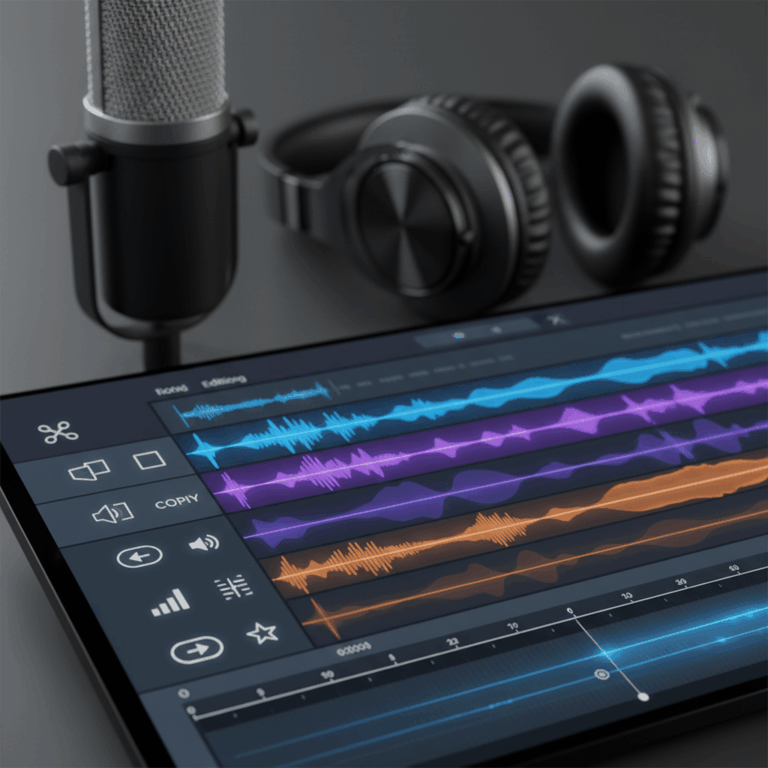
Audio Editing Apps for Podcasts on Mobile
Editing podcasts on mobile devices has become increasingly accessible with numerous apps tailored for iOS and Android users. These apps provide tools for recording, editing, and publishing directly from your smartphone or tablet.
Mobile podcast editing apps vary in features and complexity, catering to beginners and professionals alike. Many include AI-powered functions like noise reduction and filler word removal to enhance audio quality effortlessly.
Popular iOS Podcast Editing Apps
iOS offers a rich selection of podcast editing apps such as Ferrite, GarageBand, Spreaker, and Rode Reporter. These apps provide powerful multitrack editing and easy-to-use interfaces optimized for Apple devices.
GarageBand is particularly favored for its podcast templates and large library of loops and effects. Ferrite combines professional editing features with mobile convenience, making it ideal for podcasters seeking advanced tools on the go.
Spreaker and Rode Reporter offer streamlined workflows focused on quick recording and publishing, while still including essential editing capabilities. Their integration with podcast platforms simplifies the production process.
Top Android Podcast Editing Apps
Android users benefit from apps like BandLab, Audio Evolution Mobile, Spreaker, and Lexis Audio, which offer robust editing features suitable for both beginners and experienced podcasters. These apps support multitrack recording and a range of audio effects.
BandLab stands out due to its cloud integration and collaborative capabilities, allowing podcasters to work remotely with ease. Audio Evolution Mobile offers a professional-grade editing experience with advanced mixing tools right on your device.
Spreaker is a cross-platform option popular on Android as well, enabling seamless publishing to podcast directories. Lexis Audio provides straightforward editing features and supports multiple audio formats, making it versatile and user-friendly.
Desktop Audio Editing Software Options
Desktop audio editing software offers powerful tools designed for detailed podcast production, music creation, and general audio work. These apps range from professional-grade to beginner-friendly options.
Selecting the right desktop tool depends on your editing needs, budget, and skill level, with options supporting multitrack editing, effects processing, and integration with other media types.
Professional Tools for Advanced Editing
Adobe Audition is a top choice for professionals, featuring advanced noise reduction, audio restoration, and multitrack editing capabilities. It supports detailed sound design and complex podcast workflows.
Director Suite 365 offers an all-in-one solution combining audio and video editing, perfect for creators producing polished multimedia podcasts with features like Dolby surround sound and motion graphics.
These professional tools often have a steep learning curve but deliver superior control and quality, ideal for experienced editors requiring precise audio manipulation and high production values.
Free and Beginner-Friendly Desktop Apps
Audacity remains highly popular for beginners, providing free access to multitrack editing, effects like EQ and reverb, and compatibility with multiple formats across Windows, macOS, and Linux.
GarageBand is an excellent choice for Apple users, offering an intuitive interface, podcast templates, loops, and effects that make editing approachable without sacrificing creative potential.
These apps enable newcomers to learn audio editing basics efficiently while still delivering quality sound, making them perfect for hobbyists and those starting podcast production.
Innovative AI-Assisted Audio Editors
Descript stands out by allowing users to edit audio through text transcription, simplifying filler word removal, voice correction, and adding overdubs with AI technology. This helps speed up workflow significantly.
AI-assisted editors like Descript incorporate features such as batch editing, smooth transitions, and voice enhancement, catering to podcasters who want efficient and accessible editing solutions.
These tools reduce the technical barriers for new users while offering powerful functionality that rivals traditional software, merging AI innovation with audio production seamlessly.
Audio and Video Integration in Podcast Production
Integrating audio and video editing for podcasts has become essential as more creators embrace multimedia formats. Combining these elements enhances listener engagement by adding a visual component.
Comprehensive suites that support both audio and video editing streamline the production process. These platforms allow creators to manage sound quality and visuals in a single workflow efficiently.
Comprehensive Suites Combining Audio and Video Editing
All-in-one platforms like Director Suite 365 are designed to handle both audio and video tasks. They provide features like Dolby surround sound, noise reduction, motion titles, and photo editing for podcast cover art.
These suites simplify multimedia podcast creation by integrating advanced sound engineering with video editing tools. This helps creators produce polished episodes with professional-quality visuals and audio.
By unifying audio and video workflows, such software reduces the need for switching between multiple apps. This saves time and ensures consistent quality across different media elements.
Choosing the Right Audio Editing Tool
Choosing the appropriate audio editing tool depends on your specific needs, including platform compatibility, budget, and skill level. Understanding these factors helps streamline your selection process.
Different users, from beginners to professionals, require tailored features. Identifying your workflow preferences and technical requirements ensures you pick a tool that enhances productivity and audio quality.
Factors Affecting App Selection
Your choice of an audio editor should consider the device you plan to use, whether mobile or desktop, as app availability and performance vary widely between platforms.
Budget constraints also play a key role; free or affordable apps like Audacity and GarageBand offer great entry points, while advanced software such as Adobe Audition requires investment but delivers professional features.
The learning curve and technical expertise matter too, with simpler tools suited for beginners and complex programs preferable for experienced editors needing advanced control and effects.
Range of Options from Beginner to Professional
There is a broad spectrum of audio editors available, ranging from free beginner-friendly programs to high-end professional suites. This variety ensures each user can find an app that fits their proficiency and goals.
Beginners benefit from intuitive tools like GarageBand and Audacity, which offer essential editing features and clear interfaces. Professionals often prefer Adobe Audition or Director Suite 365 for deeper editing capabilities.
Emerging AI-powered editors such as Descript and Podcastle bridge the gap by providing easy-to-use interfaces with powerful automation, making quality podcast editing accessible for all skill levels.